Whenever a new employee is manually added to MyTimesheets by an Admin (and the Email Password box is ticked) or their password is changed, an email will be sent to the employee advising them of their login details and also providing information regarding using MyTimesheets. There are also onboarding videos included to show them how to install and use the app.

- If the employee uses the MyTimesheets Team App (PIN Mode) then the “Employee Self Service User” should be ticked and they will receive this email (unless you wish to give them a printed version of the instructions) – Welcome to MyTimesheets. How to use the App, Access your timesheet data + more (PIN Mode)
- If the employee uses the MyTimesheets Personal App (Email Mode) then the “Employee Self Service User” should NOT BE TICKED and they will receive this email (unless you wish to give them a printed version of the instructions) – Welcome to MyTimesheets – Personal App Login Details (Email Mode)
While most clients will use the automated Employee Onboarding emails when adding new staff to MyTimesheets, we know that in some cases this isn’t practical.
Therefore we have created written instructions that can be printed (or emailed) to employees. We have created a PDF document for both the MyTimesheets Team App (used by employees who use a PIN on a shared device such as a tablet to clock in/out) and the MyTimesheets Personal App (used by employees who install the app on their personal device and log in with an Email)
There are two versions of each document:
- One that is designed to be printed and given to the employee. This version does not allow for the employee’s login details to be included.
- And one has the same text but we have included input fields where you can fill in the details such as the employee’s user code, password, company code etc and then print or email it.
You can access these PDF documents below. Please click on the underlined text to the right of each image.
If they don’t know the rules, how can they play the game? To help you ensure staff understand what is expected of them when it comes to managing their time and attendance, we have also created a Policy and Procedure document you can use as a template. See the link at the bottom of this article. Note: If you would like an editable (Word) version of the template please email us using this link – Please send me a Word version of the Policy and Procedure document.
If you need any help with the process of installing the MyTimesheets Apps you can watch some videos here (these are the emails employees receive based on their settings) – MyTimesheets Team App (PIN Mode) or MyTimesheets Personal App (Email Mode)
or you can email successteam@timehub.co.nz
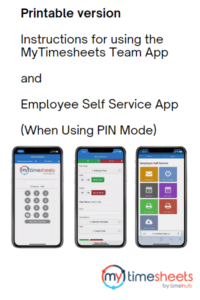
Using MyTimesheets Team App Instructions (Using PIN Mode)
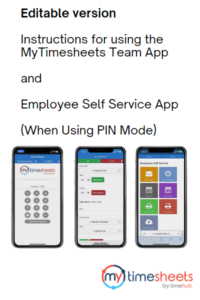
Using MyTimesheets Team App Instructions (Using PIN Mode) Editable
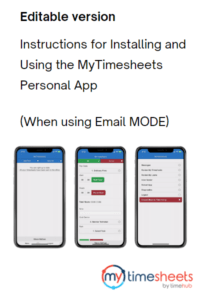
Installing MyTimesheets Personal App on an Android Device (Video)
Installing MyTimesheets on an iPhone or iPad (PDF)
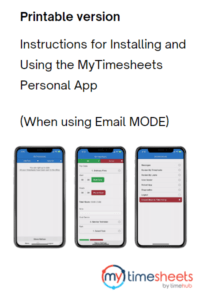
Installing and Using MyTimesheets Personal App (Email MODE) Editable
 Nothing is more demoralising for employees than being expected to do something without knowing why and/or how.
We have been giving this a lot of thought and looking at international “best practices” to see if there is a way we can help you improve the process.
One of the key things we have seen through this research is that when employees understand the WHY and not just the WHAT, they become more engaged and don’t simply see it as “the boss is checking on me”.
One of the ways this is achieved is to have a “policy and procedure” document which all employees, especially new employees, are given which sets out not only what to do but also why it is being done. It is much easier to play the game if you know what the rules are and what the purpose of the game is.
We have created a template you can use to create your own internal P&P document.